---
backbone:
- OFA
domain:
- multi-modal
frameworks:
- pytorch
license: Apache License 2.0
metrics:
- accuracy
tags:
- Alibaba
- OFA
- M6
- ICML2022
- arxiv:2202.03052
tasks:
- ocr-recognition
studios:
- damo/ofa_ocr_pipeline
datasets:
evaluation:
- modelscope/ocr_fudanvi_zh
train:
- modelscope/ocr_fudanvi_zh
finetune-support: True
integrating: False
widgets:
- task: ocr-recognition
inputs:
- type: image
validator:
max_resolution: 5000*5000
max_size: 10M
examples:
- name: 1
title: 示例1
inputs:
- name: image
data: https://modelscope.oss-cn-beijing.aliyuncs.com/demo/images/ocr_document_demo.png
inferencespec:
cpu: 4
gpu: 1
gpu_memory: 16000
memory: 43000
---
# OFA-文字识别
## News
- 2023年1月:
- 优化了finetune流程,支持参数更新、自定义数据及脚本分布式训练等,见finetune示例。
- 2022年12月:
- 上线创空间:[OFA的中文OCR体验区](https://modelscope.cn/studios/damo/ofa_ocr_pipeline/summary )。
- 2022年11月:
- 发布ModelScope 1.0版本,以下能力请使用1.0.2及以上版本。
- 支持finetune能力,新增[OFA Tutorial](https://modelscope.cn/docs/OFA_Tutorial#1.4%20%E5%A6%82%E4%BD%95%E8%AE%AD%E7%BB%83),finetune能力参考1.4节。
- 新增[通用场景](https://modelscope.cn/models/damo/ofa_ocr-recognition_general_base_zh/summary )、[手写体场景](https://modelscope.cn/models/damo/ofa_ocr-recognition_handwriting_base_zh/summary )、[web场景](https://modelscope.cn/models/damo/ofa_ocr-recognition_web_base_zh/summary )和[印刷体场景](https://modelscope.cn/models/damo/ofa_ocr-recognition_document_base_zh/summary )模型,欢迎试用。
## 文字识别是什么?
文字识别,即给定一张文本图片,识别出图中所含文字并输出对应字符串,欢迎使用!
本模型适用于单行文字检测,如需体验通常场景下的多行文字,如标识牌、衣服上文字、多行手写体等,欢迎访问我们的创空间:[OFA的中文OCR体验区](https://modelscope.cn/studios/damo/ofa_ocr_pipeline/summary )。
我们还有如下ocr模型欢迎试用:
- [通用场景](https://modelscope.cn/models/damo/ofa_ocr-recognition_general_base_zh/summary )
- [手写体场景](https://modelscope.cn/models/damo/ofa_ocr-recognition_handwriting_base_zh/summary )
- [web场景](https://modelscope.cn/models/damo/ofa_ocr-recognition_web_base_zh/summary )
- [日常场景](https://modelscope.cn/models/damo/ofa_ocr-recognition_scene_base_zh/summary )
## 快速玩起来
玩转OFA只需区区以下6行代码,就是如此轻松!如果你觉得还不够方便,请点击右上角`Notebook`按钮,我们为你提供了配备了GPU的环境,你只需要在notebook里输入提供的代码,就可以把OFA玩起来了!
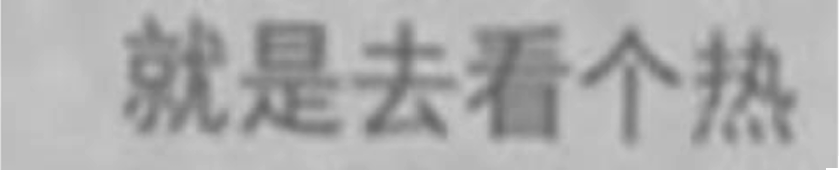 ```python
from modelscope.pipelines import pipeline
from modelscope.utils.constant import Tasks
from modelscope.outputs import OutputKeys
# ModelScope Library >= 1.2.0
ocr_recognize = pipeline(Tasks.ocr_recognition, model='damo/ofa_ocr-recognition_document_base_zh', model_revision='master')
result = ocr_recognize('https://modelscope.oss-cn-beijing.aliyuncs.com/demo/images/ocr_document_demo.png')
print(result[OutputKeys.TEXT]) # 就是去看个热
```
```python
from modelscope.pipelines import pipeline
from modelscope.utils.constant import Tasks
from modelscope.outputs import OutputKeys
# ModelScope Library >= 1.2.0
ocr_recognize = pipeline(Tasks.ocr_recognition, model='damo/ofa_ocr-recognition_document_base_zh', model_revision='master')
result = ocr_recognize('https://modelscope.oss-cn-beijing.aliyuncs.com/demo/images/ocr_document_demo.png')
print(result[OutputKeys.TEXT]) # 就是去看个热
```
## OFA是什么?
OFA(One-For-All)是通用多模态预训练模型,使用简单的序列到序列的学习框架统一模态(跨模态、视觉、语言等模态)和任务(如图片生成、视觉定位、图片描述、图片分类、文本生成等),详见我们发表于ICML 2022的论文:[OFA: Unifying Architectures, Tasks, and Modalities Through a Simple Sequence-to-Sequence Learning Framework](https://arxiv.org/abs/2202.03052),以及我们的官方Github仓库[https://github.com/OFA-Sys/OFA](https://github.com/OFA-Sys/OFA)。

Github | Paper | Blog
## 为什么OFA是文字识别的最佳选择?
OFA在文字识别(ocr recognize)在公开数据集(including RCTW, ReCTS, LSVT, ArT, CTW)中进行评测, 在准确率指标上达到SOTA结果,具体如下:
| Model | Scene | Web | Document | Handwriting | Avg |
| SAR | 62.5 | 54.3 | 93.8 | 31.4 | 67.3 |
| TransOCR | 63.3 | 62.3 | 96.9 | 53.4 | 72.8 |
| MaskOCR-base | 73.9 | 74.8 | 99.3 | 63.7 | 80.8 |
| OFA-OCR | 82.9 | 81.7 | 99.1 | 69.0 | 86.0 |
## 模型训练流程
### 训练数据介绍
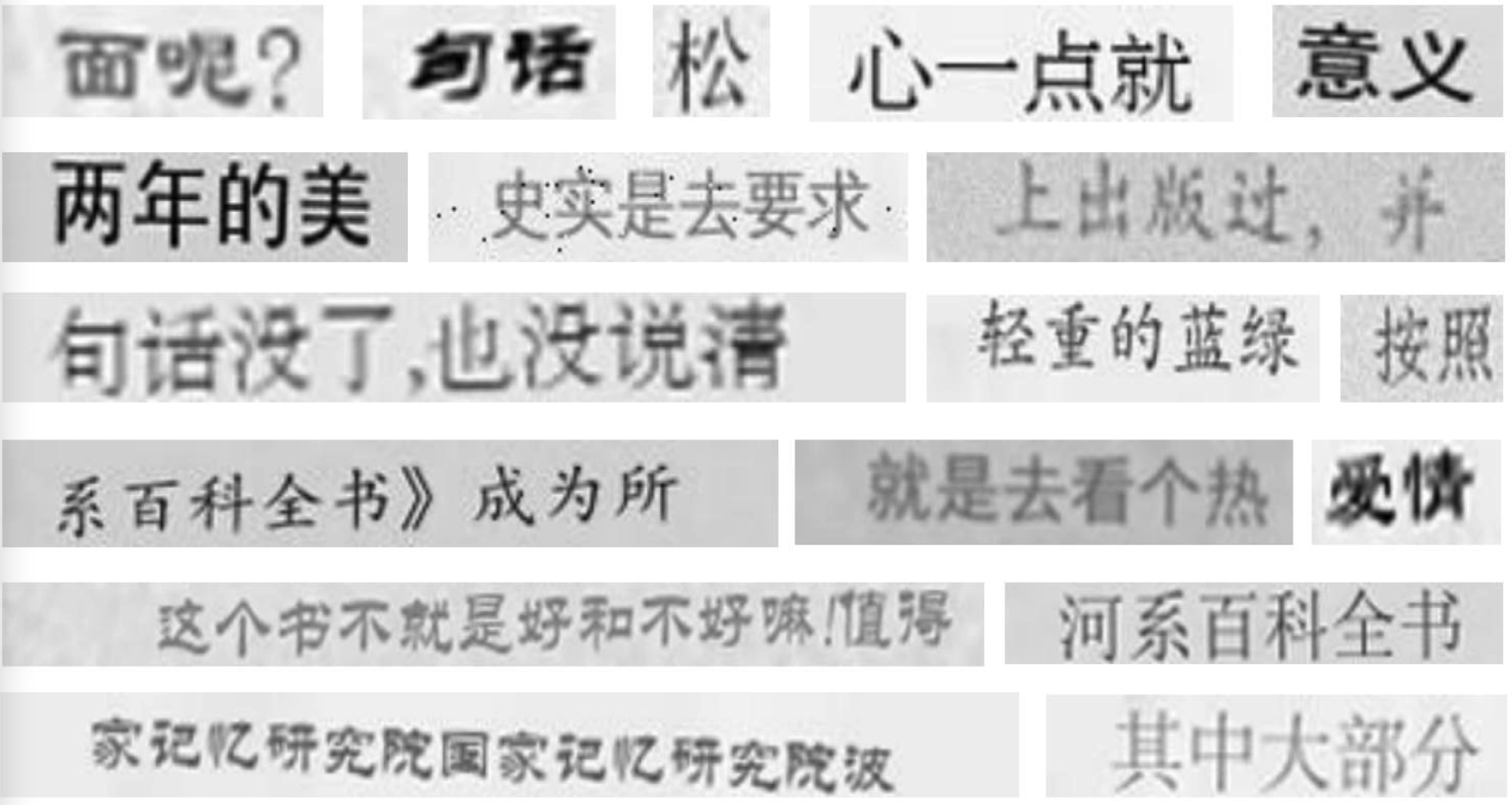
本模型训练数据集是复旦大学视觉智能实验室,数据链接:https://github.com/FudanVI/benchmarking-chinese-text-recognition
场景数据集图片采样:
### 训练流程
模型及finetune细节请参考[OFA Tutorial](https://modelscope.cn/docs/OFA_Tutorial#1.4%20%E5%A6%82%E4%BD%95%E8%AE%AD%E7%BB%83) 1.4节。
### Finetune示例
```python
import tempfile
from modelscope.msdatasets import MsDataset
from modelscope.metainfo import Trainers
from modelscope.trainers import build_trainer
from modelscope.utils.constant import DownloadMode
train_dataset = MsDataset(MsDataset.load(
'ocr_fudanvi_zh',
subset_name='scene',
namespace='modelscope',
split='train[:100]',
download_mode=DownloadMode.REUSE_DATASET_IF_EXISTS).remap_columns({
'label': 'text'
}))
test_dataset = MsDataset(
MsDataset.load(
'ocr_fudanvi_zh',
subset_name='scene',
namespace='modelscope',
split='test[:20]',
download_mode=DownloadMode.REUSE_DATASET_IF_EXISTS).remap_columns({
'label': 'text'
}))
# 可以在代码修改 configuration 的配置
def cfg_modify_fn(cfg):
cfg.train.hooks = [{
'type': 'CheckpointHook',
'interval': 2
}, {
'type': 'TextLoggerHook',
'interval': 1
}, {
'type': 'IterTimerHook'
}]
cfg.train.max_epochs=2
return cfg
args = dict(
model='damo/ofa_ocr-recognition_document_base_zh',
train_dataset=train_dataset,
eval_dataset=test_dataset,
cfg_modify_fn=cfg_modify_fn,
work_dir = tempfile.TemporaryDirectory().name)
trainer = build_trainer(name=Trainers.ofa, default_args=args)
trainer.train()
```
## 模型局限性以及可能的偏差
训练数据集自身有局限,有可能产生一些偏差,请用户自行评测后决定如何使用。
## 相关论文以及引用
如果你觉得OFA好用,喜欢我们的工作,欢迎引用:
```
@article{wang2022ofa,
author = {Junyang Lin and
Xuancheng Ren and
Yichang Zhang and
Gao Liu and
Peng Wang and
An Yang and
Chang Zhou},
title = {Transferring General Multimodal Pretrained Models to Text Recognition},
journal = {CoRR},
volume = {abs/2212.09297},
year = {2022}
}
```
```
@article{wang2022ofa,
author = {Peng Wang and
An Yang and
Rui Men and
Junyang Lin and
Shuai Bai and
Zhikang Li and
Jianxin Ma and
Chang Zhou and
Jingren Zhou and
Hongxia Yang},
title = {OFA: Unifying Architectures, Tasks, and Modalities Through a Simple Sequence-to-Sequence
Learning Framework},
journal = {CoRR},
volume = {abs/2202.03052},
year = {2022}
}
```